

You can have a custom bible verse wallpaper for iPhone ready in under a minute. No app to install, no account required, and the whole thing is free. Here is exactly how to do it.
What You Need Before You Start
Nothing special. You need a browser, a verse in mind, and about 30 seconds. Voqli runs entirely in your browser, so there is nothing to download and no sign-up wall to push through first.
If you are drawing a blank on the verse, a few that work particularly well as wallpapers: Philippians 4:13 (“I can do all things through Christ which strengtheneth me”), Isaiah 41:10 (“Fear thou not; for I am with thee”), Psalm 23:1 (“The Lord is my shepherd; I shall not want”), and Joshua 1:9 (“Be strong and of a good courage”). Short enough to read at a glance, meaningful enough to hold up every day.
How to Make a Bible Verse Wallpaper
- Open the Voqli studio. Go to app.voqli.com/studio in your browser. No login needed.
- Type or paste your verse. Add the full text, then the reference below it (e.g., Psalm 46:10). Keep the reference on its own line so it reads cleanly on the final image.
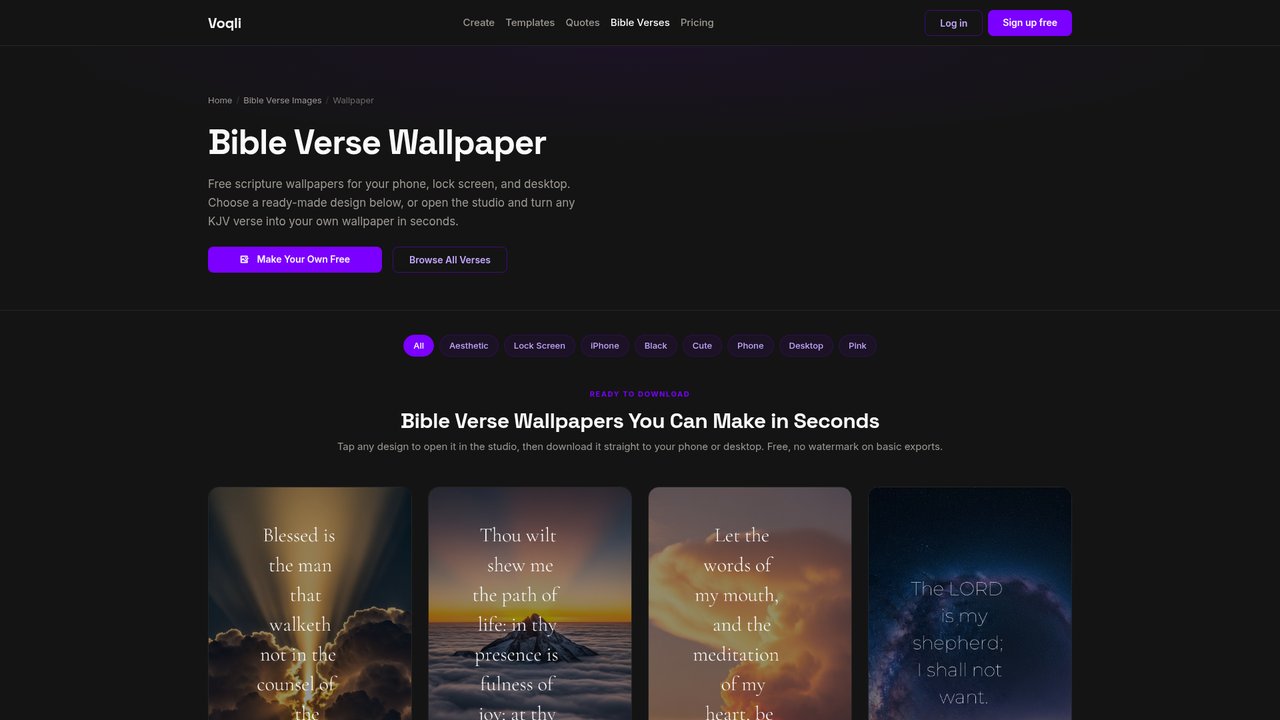
- Pick a photographic template. Choose a background photo that fits the mood of your verse. Nature, sky, and mountains tend to work well because they leave enough visual space for the text to breathe. You are using the bible verse image maker at this step, so take a moment to scroll through a few options before settling.
- Set the size to 1080×1920. That is the standard vertical format for iPhone wallpapers. Select it before you customize fonts or colors, since the layout will adjust to fit the canvas.
- Adjust font and text color. High contrast is non-negotiable. White or cream text on a darker photo, or dark text on a light, airy sky background. If you have to squint to read it on screen, change it.
- Download the image. Hit the download button. The file saves to your Photos app on iPhone (or your Downloads folder on desktop, which you can AirDrop over).
That is the entire process for creating a bible verse wallpaper. Six steps, most of which take three seconds each.
How to Set It as Your iPhone Lock Screen
Once the image is in your Photos library, setting it takes about 15 seconds.
- Go to Settings, then tap Wallpaper, then Add New Wallpaper.
- Tap Photos and select the image you just saved.
- Pinch to position the text so it sits in the center of the lock screen, away from the clock and any widgets.
- Tap Add, then choose whether to set it on the lock screen, home screen, or both.
Alternatively, long-press directly on the lock screen, tap the plus icon, and follow the same photo selection flow. Either path works on iOS 16 and later.
On Android, open Photos or Gallery, tap the image, tap the share or menu icon, and select Set as wallpaper. From there you pick lock screen, home screen, or both.
Tips for a Wallpaper That Actually Looks Good
Most poorly made verse wallpapers fail for the same three reasons. Avoid these and yours will stand out.
Keep the verse short. Anything over two lines starts competing with the clock on your lock screen and the icons on your home screen. Psalm 46:10 (“Be still, and know that I am God”) is four words of command. That lands harder than a paragraph.
Choose a high-contrast photo template. The photo carries the emotion; the text carries the meaning. They need to coexist without fighting each other. A busy, saturated photo will always swallow pale text. Go for images with large areas of sky, fog, open water, or dark gradient at the bottom where the reference sits.
Leave breathing room around the text. Do not push the verse to the edges of the canvas. Center it with generous padding on all sides. On a phone screen, cramped text feels anxious rather than grounding, which is the opposite of what a verse wallpaper should do.
Frequently Asked Questions
Is Voqli really free to use for bible verse wallpapers?
Yes. The core Voqli studio, including photo templates and the ability to download your finished image, is free. No credit card, no trial period, no watermark on downloaded images.
Do I need to download an app to make a bible verse wallpaper?
No. Voqli runs in any modern browser on your phone or computer. Open the site, build your image, and download it. The whole process happens in the browser without installing anything.
What is the right image size for an iPhone wallpaper?
1080×1920 pixels (vertical/portrait orientation) covers every current iPhone model without cropping or quality loss. If you are targeting an older iPhone SE, 750×1334 also works, but 1080×1920 is the safer default since it scales down cleanly on smaller screens.
Ready to build yours? Go to app.voqli.com/studio and have it set as your lock screen in the next two minutes.
Voqli is a free tool for turning bible verses and quotes into beautiful images and phone wallpapers. Pick a verse, choose a design, and download it in seconds.
Make This Wallpaper Yours
Open any verse or quote in Voqli Studio and turn it into a stunning wallpaper in seconds. Free to start, no design skills needed.